Properties and validation
Every asset is described in the properties panel, and KPD checks the design continuously as you work.
The properties panel
Select an asset and the panel underneath the canvas shows its tabs. They come from the asset's palette, so a topic has General, Partitions & durability, Retention, Schema, Data contract and Governance, while a Flink statement has General, Inputs & Outputs and SQL. Fields explain themselves with a tooltip (ⓘ), and invalid values are marked straight away.
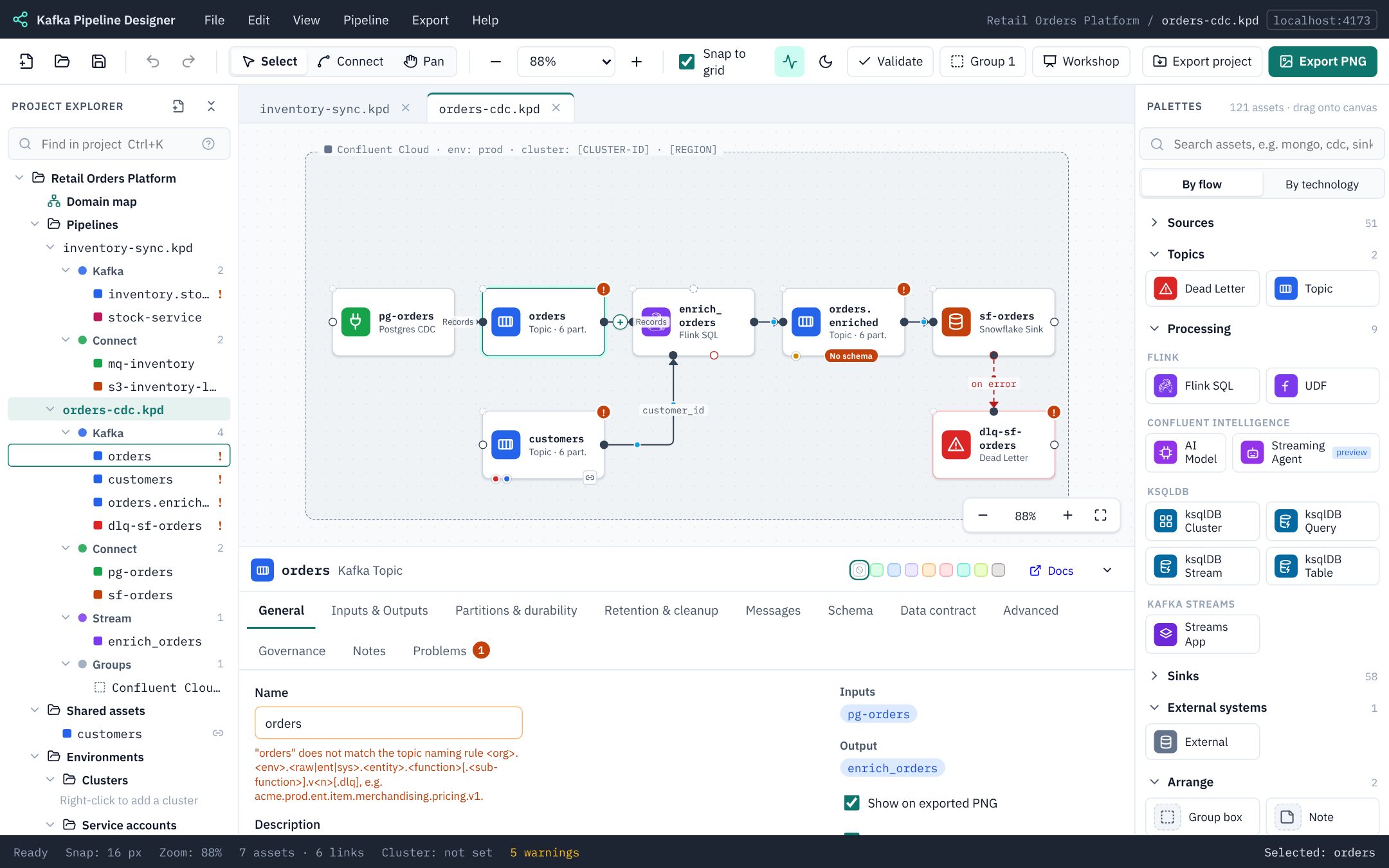
The header also has the asset's shade swatches (see Groups, notes and shading) and a Docs link to the matching Confluent documentation.
With nothing selected, the panel shows the pipeline: its name, description and Kafka cluster (General), its Decisions, the Shading key, the palettes it uses, and its Problems.
Validation
Validation runs on every change. Results appear in four places at once:
- a red (error) or orange (warning) badge on the asset, with the messages in its tooltip;
- markers in the explorer;
- the count in the status bar (click it to open the Problems tab);
- the Problems tab, where clicking a problem selects the asset and opens the right field.
What is checked includes: required properties and value ranges from the palette; ports and connection types; cycles; topic names (Kafka's own rules and your naming standard); duplicate topic names; schema files that exist and parse; contract rules and their dead letter routes; compute pools; service accounts, their clusters and credentials; governance; Flink statement kinds; and deprecated palettes.
Not checked: the text of Flink SQL and ksqlDB queries. KPD checks how a statement is wired, but not its syntax, or whether the tables and columns it names exist. See SQL is not checked.
Severities
| Severity | Meaning | Example |
|---|---|---|
| Error | Can't be built as drawn. Blocks Terraform generation. | A topic name with a space in it; two different topics with the same name in one pipeline. |
| Warning | Probably wrong, or a standard isn't followed. | A topic name that doesn't match the naming rule; a topic with no schema. |
| Info | A hint about something not filled in yet. | No service account chosen; no cluster chosen for the pipeline. |
The status bar's problem count opens the open pipeline's Problems tab.
Validate project
The toolbar Validate button, Pipeline → Validate project… or Ctrl/⌘+Shift+V checks the whole project at once: every pipeline (open ones as they are on screen, the rest as last saved), every schema file against its specification, and the project's clusters, service accounts, compute pools and contract rules.
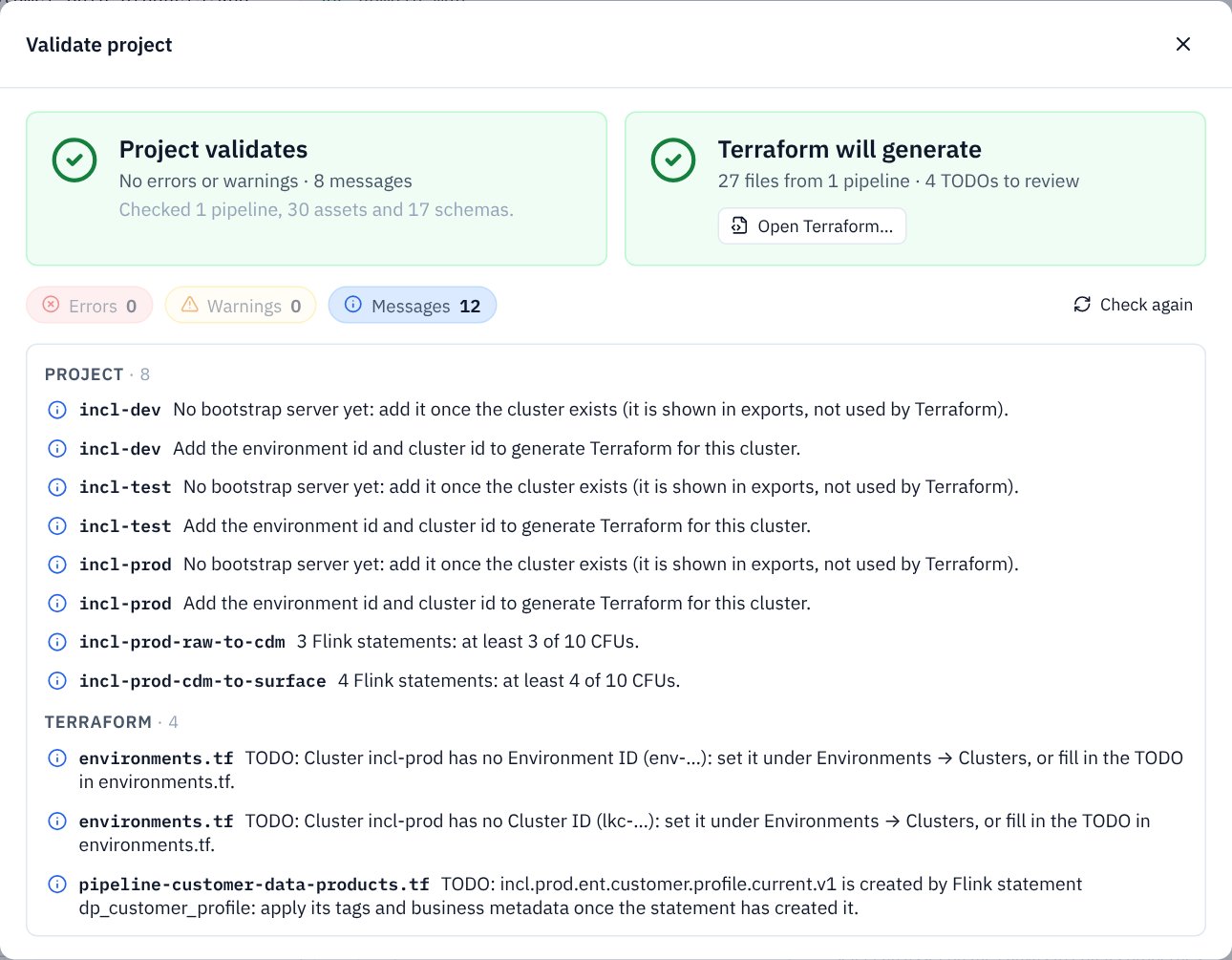
The dialog gives two verdicts side by side:
| Verdict | Means |
|---|---|
| ✅ Project validates | No errors and no warnings. Messages may remain: they are reminders (such as a cluster id still to add) and don't count against it. |
| ⚠️ Validates with warnings | No errors, but something probably needs a look, for example a topic name that breaks the naming standard or a topic with no schema. |
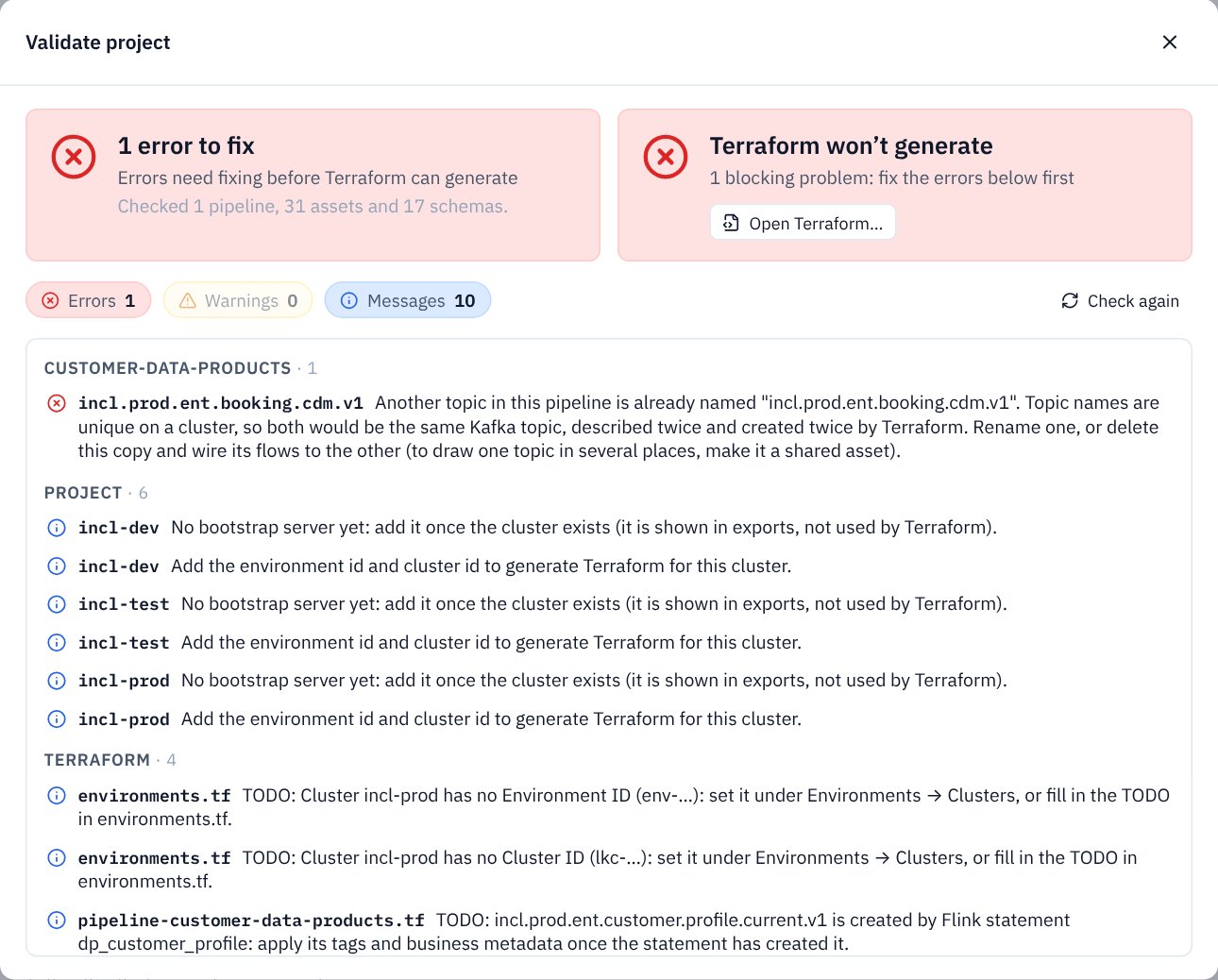
| ❌ Errors to fix | Something can't be built as drawn. |
The second verdict is about Terraform, using the same pre-flight as the Terraform page:
| Verdict | Means |
|---|---|
| ✅ Terraform will generate | How many files from how many pipelines, and how many TODOs, warnings and permission suggestions will be left to review. |
| ❌ Terraform won't generate | Errors in pipelines that run on a cluster, or two pipelines that describe the same topic differently, block it. |
| ⊘ Nothing for Terraform yet | No pipeline runs on a cluster, so there is nothing to generate. Choose the cluster on a pipeline's General tab. |
Below the verdicts, every error, warning and message is listed under its pipeline, Schemas, Project or Terraform, with the asset or file it concerns. Use the three buttons to show or hide each kind, and Check again after fixing things. Click an item to go to it: an asset is selected and its Problems tab opened, a schema or definition opens in its editor, and Terraform items open the Terraform page.
Fixing old designs
When a palette changes, older pipelines still open; new optional properties appear with defaults (an info message says so). When an asset type is retired, the Problems tab offers a Convert action. KPD never converts a design silently.