Data products (DPCF template)
Start a project from the Data Product Creation Framework: the vocabulary, the catalogue fields and the three-layer layout are ready.
Creating a DPCF project
- File → New project…, enter the name, and choose Data Product (DPCF).
- Optionally enter your organisation code (2–4 lowercase letters or digits, such as
acme). Topic names are then checked againstacme.<env>.<raw|ent|sys>.…. - Two stage compute pools are suggested,
<org>-raw-to-cdmand<org>-cdm-to-surface. They take your first cluster's cloud and region; left without a region they are skipped. - Create project.
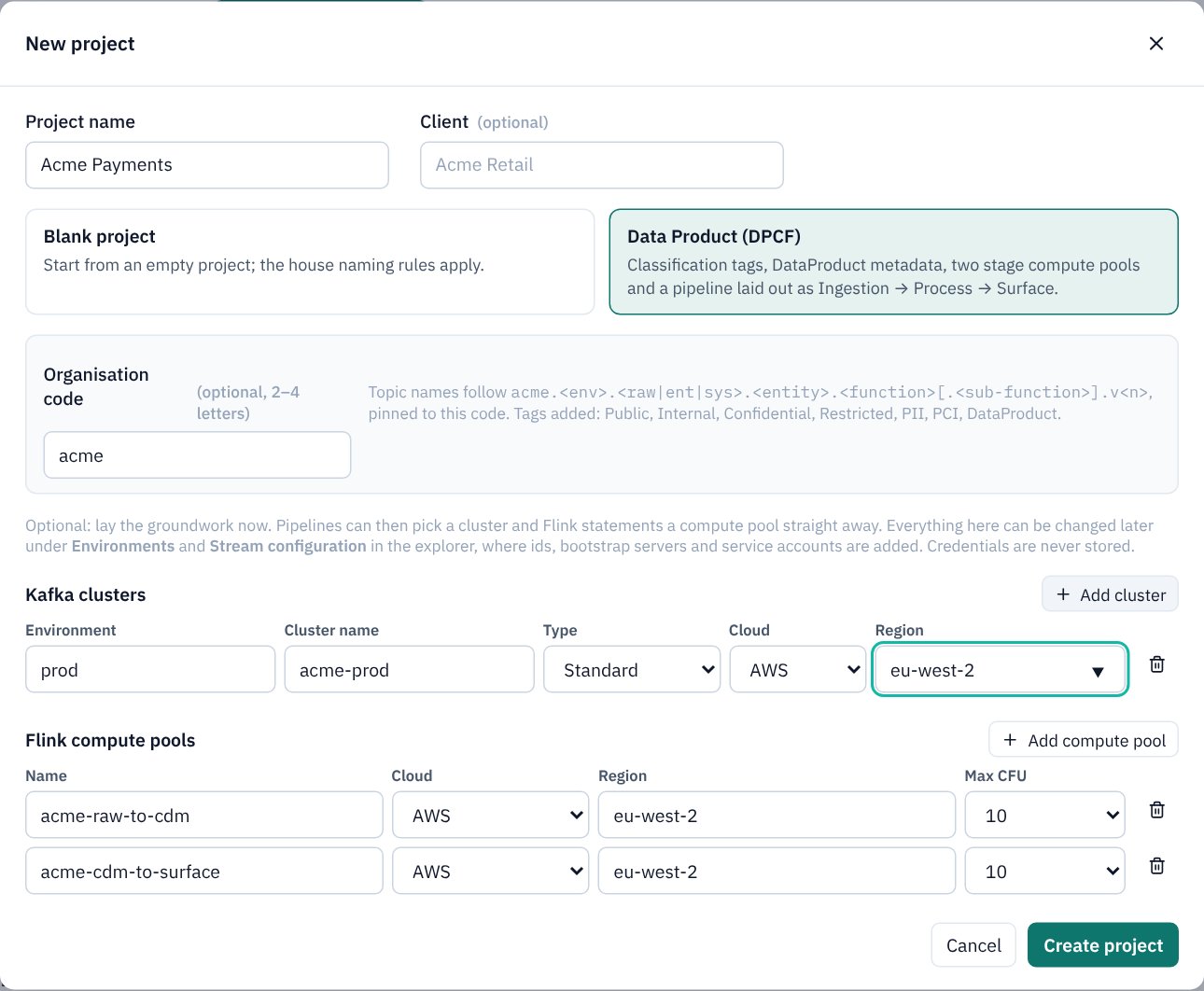
What the template adds
- Classification tags: Public, Internal, Confidential, Restricted; the overlays PII and PCI; and DataProduct.
- DataProduct business metadata with the mandatory catalogue fields: ProductName, Description, ProductId, Domain, SubDomain, Owner, Steward, Custodian, Contact, Classification, Tier, LifecycleState and ContractSummary.
- A naming rule pinned to your organisation code (see Topic naming standards).
- A starter pipeline, data-product, with three background groups, each describing its layer's rules:
- Ingestion · raw layer: land each source object on its own raw topic, as produced, with a registered schema; raw topics are never published.
- Process · canonical (CDM): Flink maps raw records to the Common Data Model, with data quality rules, a compute pool per stage, temporal joins and state TTL.
- Surface · governed product: the curated products, tagged, with business metadata, an owner and a contract, discoverable in the Data Portal.
Everything is ordinary, editable content: the template only saves typing, and never overwrites a tag or definition that already exists.
Marking a data product
Give the product topic the DataProduct tag and fill in its DataProduct metadata on the Governance tab. The detailed design document then writes a full product definition for it: description, owner, steward and custodian, domain, SLA, data quality rules, classification and exposure. Make published products shared assets so every pipeline uses one definition.
Draw the domains first on the Domain map and link each pipeline to its domain: the products then take Domain, SubDomain, Owner and Contact from the map, and each pipeline carries its DPCF anchor statement.