Domain map
Draw the business domains and sub-domains once, with their owners and contacts, then link each pipeline to its domain and give it an anchor statement.
Why a domain map
The Data Product Creation Framework starts every data product from a business outcome owned by a domain (DPCF Stage 1, section 1.1), and the catalogue records each product’s owning domain, sub-domain, owner and contact. The Domain map is where the project’s domains are defined once, so pipelines and data products refer to them instead of retyping the same names on every asset.
Drawing the map
Open Domain map at the top of the project explorer. It opens in its own tab, on a canvas like a pipeline, and the palette offers just two assets:
- Domain: name, company code, description, owner and contacts.
- Sub-domain: name, code, description, owner and contacts.
Wire a domain’s Sub-domains output to each of its sub-domains, or select the domain and use the + beside its output: quick add offers a sub-domain, already connected. The map reads as a spider diagram, and auto-place, notes, shading and PNG export all work as they do on a pipeline.
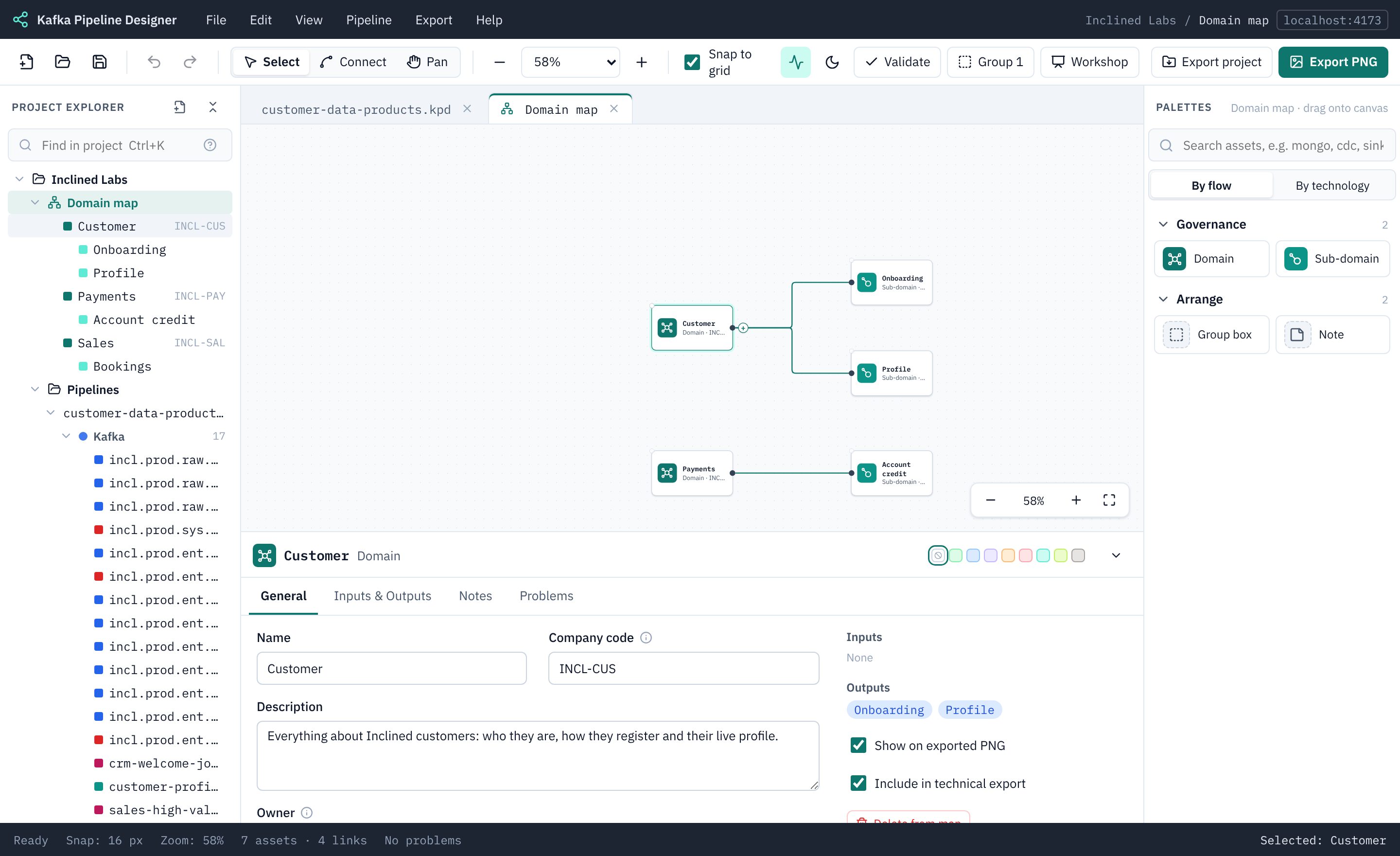
Business areas
Group boxes work on the map as they do on a pipeline. Drag a Group box from the palette’s Arrange section around some domains (or select them and press Ctrl/⌘+G) and name it after the business area or line of business. The label becomes those domains’ area, and their sub-domains’ too: it is shown in Find in project and as an Area column in the design document’s Data Domain table. A domain in two boxes takes the smaller one.
Contacts are rows of name, role and an email address or chat channel. They are for people, never credentials: a value that looks like a key is flagged.
Two levels only: a sub-domain belongs to exactly one domain and has no sub-domains of its own. The explorer lists the domains with their sub-domains underneath; click one to show it on the map.
project.kpdproj and is saved as you change it, like compute pools and tags. Undo still works on the map’s tab.Linking a pipeline
Click an empty part of a pipeline’s canvas, then on its General tab choose the Domain and, optionally, the Sub-domain (only the chosen domain’s sub-domains are offered). The button beside the domain opens the map.
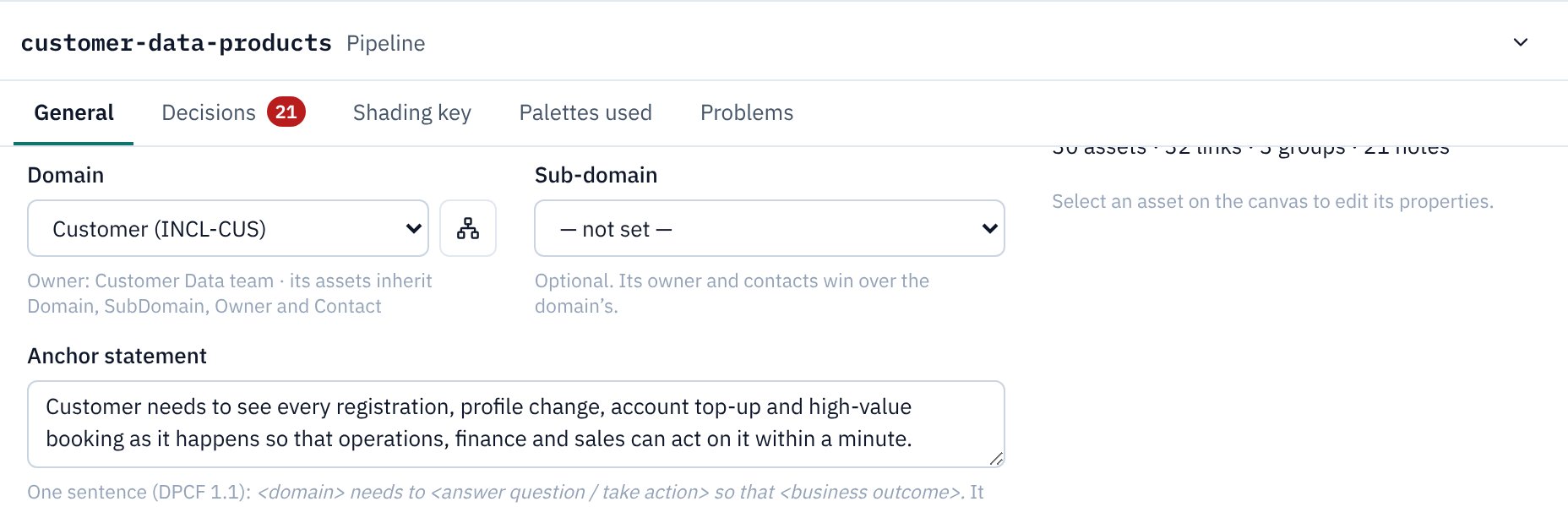
Anchor statement
Below the domain, write the pipeline’s anchor statement: the one sentence DPCF uses to tie a product to a business outcome rather than to “we have this data”:
<domain> needs to <answer question / take action> so that <business outcome>.
Use the form starts it from that template with the domain filled in. KPD reminds you while placeholders are left, or if the sentence doesn’t have the needs to … so that … shape.
What the link does
| Where | What you get |
|---|---|
| Catalogue metadata | Assets in the pipeline that carry a business metadata definition with Domain, SubDomain, Owner or Contact attributes (such as the DPCF DataProduct definition) take those values from the map when they leave them empty. The Governance tab shows them greyed with from domain map; type a value to override it for one asset. The sub-domain’s owner and contacts win over the domain’s. |
| Validation | Inherited values count, so required Domain, Owner and Contact fields stop being reported. A pipeline that isn’t linked yet, or has no anchor statement, gets a reminder (a message, not a warning). |
| Terraform | Inherited values are written into the business metadata bindings, like typed ones. |
| Design document | A Domain Model section (under Business Context) shows the whole map as a picture and lists every domain and sub-domain with its area, code, description, owner, contacts and linked pipelines. Each pipeline’s section starts with its business domain, sub-domain, owner and anchor statement. The anchor statements also lead Objectives, and Data Domain lists the domains the pipelines and products use. |
| Technical export | The pipeline’s business domain and anchor statement are at the top. |
| Find in project | Domains and sub-domains are found by name, area, code, owner or contact (kind:domain), and pipelines by their domain or anchor statement. |
| Validate project | Problems on the map (an unnamed domain, a sub-domain with no domain, two domains with one name or company code) are listed under Domain map. |