Service accounts and access
Say who each running asset is, and what it may do. KPD advises on access, but never decides it for you.
Service accounts
Right-click Environments → Service accounts → New service account… to add one, for example sa-flink. Tick the clusters it uses and give it a description.
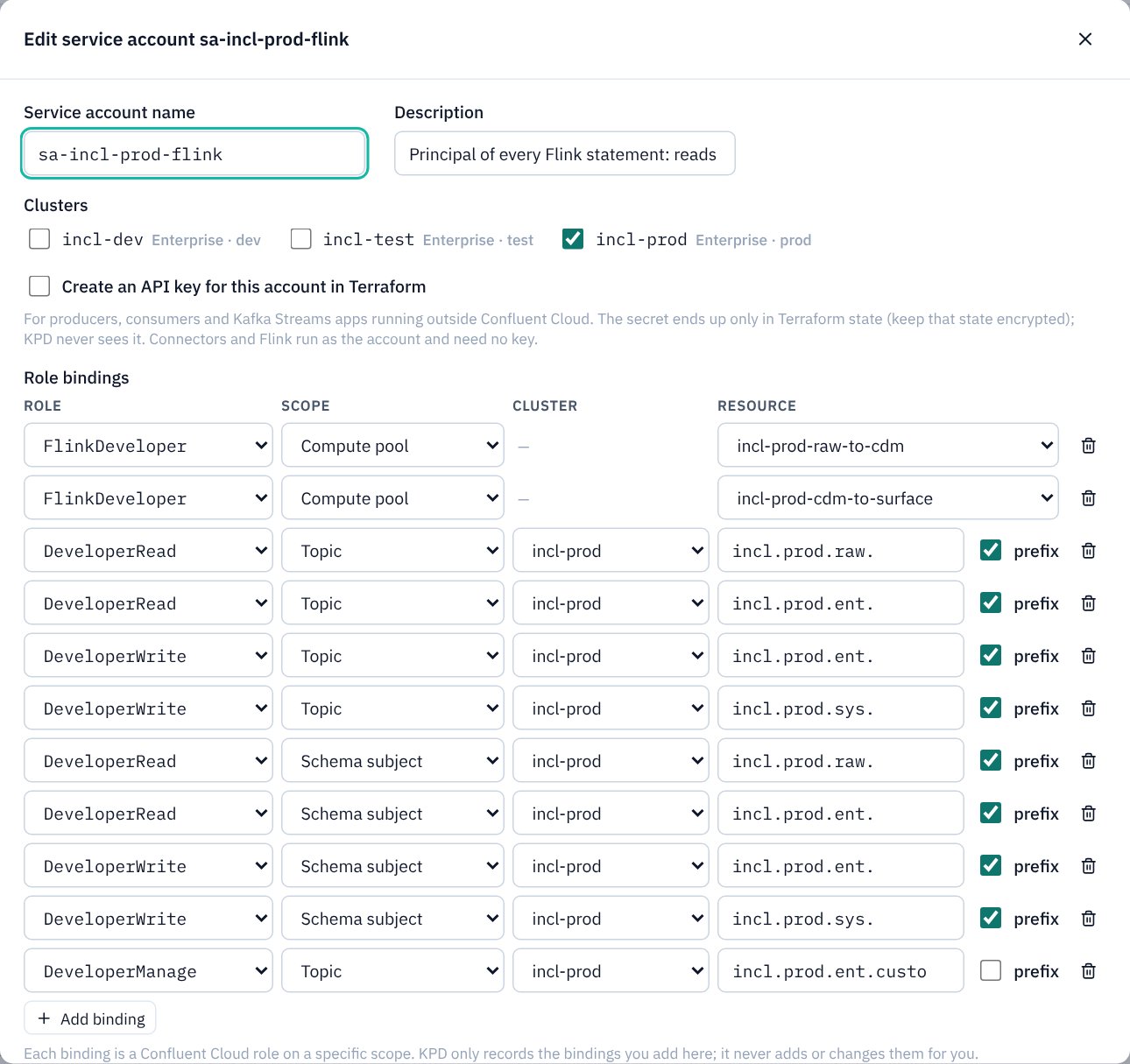
Assets that run, such as connectors, producers, consumer groups, Kafka Streams apps, Flink SQL statements, streaming agents and ksqlDB clusters, choose the account they run as from Service account on their General tab.
Role bindings
Each account's access is a list of role bindings that you add explicitly. A binding is a role (for example DeveloperRead, DeveloperWrite, ResourceOwner, FlinkDeveloper) on a scope: a topic or topic prefix, consumer group, transactional id, schema subject, cluster, environment or compute pool. Name fields suggest the topics, subjects, groups and connectors the pipelines on that cluster define, and a note points out names that match nothing, for example after a rename.
Permission advice
KPD never adds or changes bindings for you. Instead, the Terraform page lists permission advice: bindings your running assets appear to need, such as write access to a dead letter topic for the client that runs a contract rule. Each is unticked; it is added only if you tick it.
No keys, ever
- KPD never stores API keys, passwords or other secrets. Text that looks like a secret is refused wherever it is typed.
- The Terraform export writes every credential as a sensitive variable (
TF_VAR_…) for your CI secret store, and its.gitignoreexcludes state and.tfvarsfiles. - Tick Create an API key for this account in Terraform on a service account when an application outside Confluent Cloud needs one; Terraform creates it, and the secret exists only in Terraform state and a sensitive output.