Find in project
Search every pipeline, schema and definition in the project at once, then click a result to go straight to it.
Searching
Type in the Find in project box at the top of the project explorer, or press Ctrl/⌘+K from anywhere (Edit → Find in project…). While there is text in the box, the results replace the explorer tree; clear it (Esc or the ✕) to get the tree back.
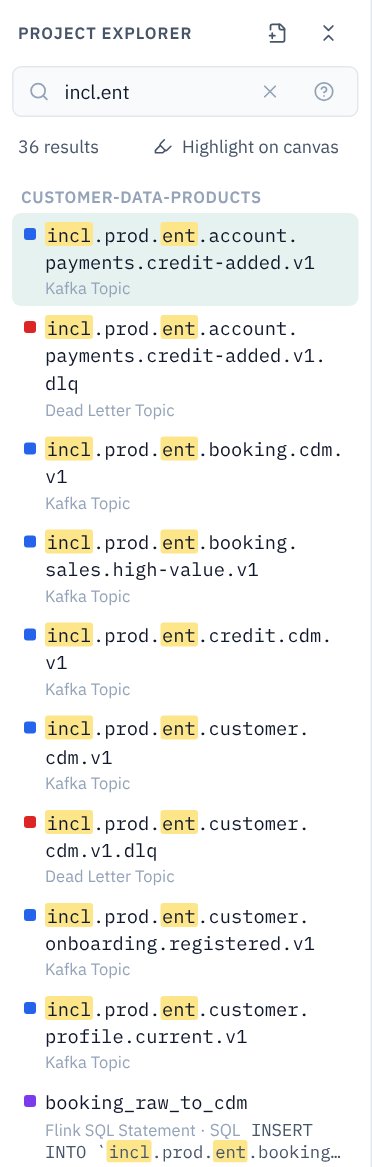
Results are grouped by pipeline, then Schemas and Project for definitions. Each shows its type, and when the match wasn't in the name, where it was found: SQL, group.id, Schema fields, a business metadata value and so on, with the matching text highlighted.
Going to a result
Click a result, or move with ↑ ↓ and press Enter:
- An asset: its pipeline opens if it isn't already, the asset is selected and centred on the canvas, and the properties panel opens on the tab where the match was. Searching
5000takes you to the SQL of the statement that filters on it. - A note, design decision or assumption, or a group: selected and centred.
- A schema: opens in the schema editor.
- A contract rule, service account, cluster, compute pool, tag or business metadata definition: opens its editor.
The search stays in the box, so you can work down the list one result at a time.
What you can search for
| Type | Finds |
|---|---|
orders | Text anywhere: names, types, settings, SQL (inline or in a SQL file), descriptions, tags, metadata values, note text, schema file and field names. Not case-sensitive. |
incl.ent | Dotted terms also match name parts in order, skipping parts in between: incl.prod.ent.customer.cdm.v1, in every environment. |
incl.*.cdm | * matches any run of characters. |
"high value" | Quotes keep words together as one term. |
customer cdm | Several terms: each must match somewhere in the same result. |
Exact matches rank first, and matches in a name rank above matches elsewhere.
Filters
| Filter | Keeps |
|---|---|
kind:topic | Results of a type: topic, dlq, connector, source, sink, flink, client, schema, rule, account, cluster, pool, tag, note, decision, assumption, group, pipeline, or any palette name such as snowflake. |
tag:PII | Assets carrying a governance tag. |
sa:sa-flink | Assets that run as a service account (part of the name is enough). |
cluster:prod | Assets in pipelines that run on a cluster. |
in:orders | Assets in a pipeline whose name or file matches. |
Filters combine with text and with each other: kind:flink sa:prod customerId. A filter on its own lists everything that passes it. The ? button in the box shows these examples; click one to try it.
Highlight on canvas
Switch on Highlight on canvas under the box and everything that doesn't match fades back on the open pipelines, leaving the matches outlined. It follows the search as you type.
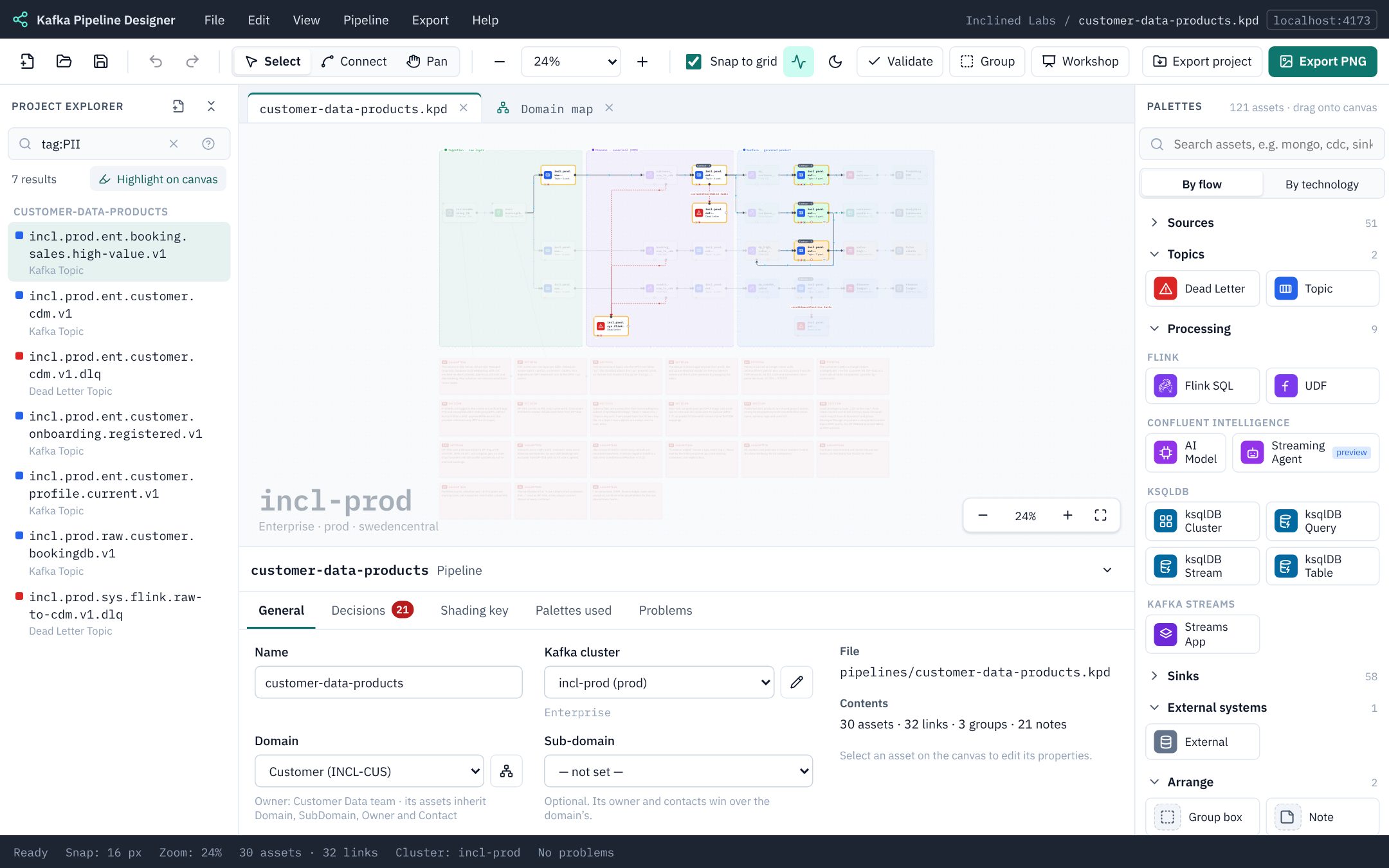
tag:PII with the highlight on answers “where does personal data go?” at a glance. sa: does the same for “what does this account touch?”.Good to know
- Open pipelines are searched as they are on screen, unsaved changes included; closed ones are searched as they were last saved.
- Flink SQL is searched as text, so a search finds a topic name used in a statement. KPD doesn't check the SQL itself (see SQL is not checked).
- The first 200 results are listed; add a word or a filter to narrow a long list.